
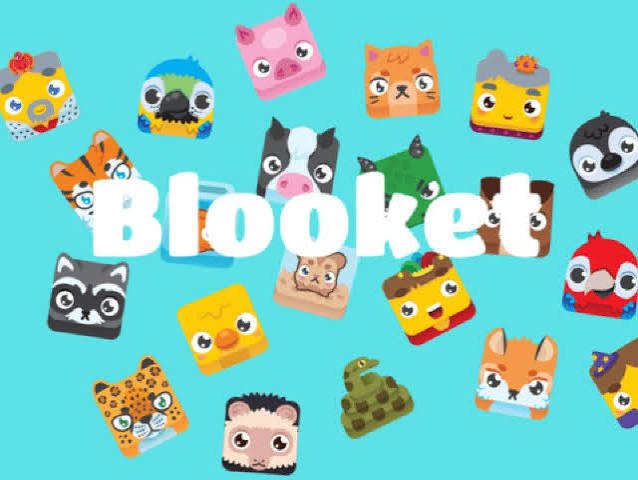
Blooket is a web-based learning platform that turns quiz questions into short, competitive games.
Teachers use it for review, practice, homework, and quick checks for understanding.
Students answer curriculum-based questions while playing with colorful characters, rewards, and changing game mechanics.
Quick Bio
| Feature | Details |
|---|---|
| Definition | A game-based learning platform built around teacher-created or public question sets |
| Origin | Created by Ben Stewart and launched in 2018 |
| Primary use | Classroom review, formative assessment, homework, and independent practice |
| Industry | Education technology, online learning, and classroom gamification |
| Common materials | Text questions, multiple-choice answers, typed responses, images, equations, and optional audio |
| Popular applications | Vocabulary practice, math review, science recall, test preparation, language learning, and live class competitions |
| Main users | Teachers, students, tutors, homeschool families, and school groups |
| Access model | Free Starter access with optional Plus and group plans |
| Core formats | Live games, solo play, and homework assignments |
| Official website | Blooket.com |
What Is Blooket?
Blooket is an educational quiz platform that combines question-and-answer practice with arcade-style game formats. Instead of presenting the same plain quiz screen every time, it places one question set inside different modes with separate rules, strategies, and visual themes.
The platform describes itself as a new version of the classroom review game. Its central idea is simple: a teacher chooses learning content, selects a mode, and lets students practice through play.
The official website states that the platform is designed for learners from early elementary school through high school and beyond.
Origin and Development
The platform was created by Ben Stewart and began in 2018. It grew from a classroom quiz concept into a broader game-based learning service used by educators, families, and students.
Its development has focused on expanding three connected areas:
- Reusable question libraries
- New game formats
- Teacher performance reports
The official teacher guide now points users to more than 20 million community-created question sets. This gives educators a large starting library instead of requiring them to build every activity from scratch.
How Blooket Works
Every Blooket activity begins with a question set. A teacher can create one, reuse a saved set, or search the public Discover library by subject, topic, skill, or grade level.
After choosing the content, the host selects a game mode and adjusts the available settings. The system then generates a game ID that players use to enter the session.
Once the activity ends, the teacher can review the results to identify correct, incorrect, and unanswered questions.
Teacher Workflow
A teacher normally signs in, chooses a set, selects Host or Assign, and configures the activity. Live sessions are suitable for whole-class review, while assignments allow students to complete practice outside the lesson.
The History area records details such as:
- Game mode
- Question set title
- Activity date
- Number of players
These records make it easier to revisit previous sessions and monitor class participation.
Student Workflow
Students can enter a live session through the play page using the host’s game code. An account is not required for participation in live games or assigned homework.
Logged-in users can retain selected progress, track statistics, unlock characters, and manage their collections.
After joining a Blooket game, each player chooses a nickname and may select a character. The educational questions remain connected to the chosen set, but the surrounding gameplay changes according to the mode.
Game Modes and Play Formats
Blooket supports live, solo, and homework play. Its official help center states that the platform offers more than 25 modes across these formats, although availability can depend on the selected plan and activity type.
Popular live options include:
- Gold Quest
- Crypto Hack
- Fishing Frenzy
- Battle Royale
- Tower Defense
- Café
- Factory
- Racing
- Classic
- Monster Brawl
- Deceptive Dinos
- Blook Rush
Some experiences, including Crazy Kingdom and Tower of Doom, are limited to solo play or homework rather than live hosting.
This variety allows the same vocabulary list, historical timeline, or math review to feel different when placed inside a new ruleset. Teachers should still choose a mode that supports the learning goal rather than selecting only the most exciting option.
Question Sets and Learning Materials
Blooket question sets are the reusable academic layer of the platform. They may contain multiple-choice questions or typed-answer questions, allowing teachers to assess recognition and short recall.
Standard users can add:
- Written questions
- Images
- Mathematical equations
- Multiple-choice answers
- Typed responses
Plus users can also add audio. Image and equation tools can support geometry, science, music, language learning, and visual-identification activities.
Good question sets use clear wording, realistic distractors, and one measurable objective. A game filled with vague or inaccurate questions may be entertaining, but it will not provide useful evidence of learning.
Teachers should also check spelling, answer accuracy, difficulty level, and curriculum relevance before sharing a set with students.
Blooks, Tokens, and Reward Design
A Blook is the character or avatar used by a player in Blooket. These colorful figures give students a visual way to personalize their profiles and game participation.
Players may earn tokens and use them to unlock themed Blooks through packs and collectible systems.
Available Blooks have different rarity levels. Some may also appear during special events, seasonal releases, or limited-time activities.
These reward loops increase motivation for many learners, but they can also shift attention away from the academic content. Teachers can reduce that risk by setting a clear learning purpose before the game and discussing missed questions afterward.
Classroom Applications
Blooket works best as a short practice or review tool rather than a complete lesson. Common classroom applications include:
- Lesson warm-ups
- Exit activities
- Vocabulary checks
- Multiplication practice
- Science terminology
- Geography recall
- Historical facts
- Language review
- Test preparation
It can also support tutoring, homeschool instruction, substitute-teacher plans, clubs, and remote learning.
Because the question set and game mode are separate, one set can be reused across several sessions without repeating the exact same experience.
For stronger instructional value, teachers can pause after difficult questions, ask students to explain their reasoning, and use the report to plan a follow-up mini-lesson.
The platform is not tied to one national curriculum or one subject. Educators can build content around local standards, regional history, second-language learning, cultural studies, or school-specific assessments.
Its visual format may help younger learners and multilingual classes engage with familiar images, symbols, and short prompts. However, public sets should always be reviewed before use because community-created content may contain errors, outdated facts, or material that does not match a local syllabus.
The platform provides a reporting option for inaccurate or inappropriate sets.
Educational Benefits
The strongest benefit is student participation. A familiar review task can gain energy when learners receive immediate feedback, compete with classmates, and experience changing game conditions.
The platform also saves preparation time through its public question library and reusable sets. Teachers can quickly check recall, identify commonly missed items, and repeat practice without printing new worksheets.
Another advantage is flexible access. A learner can join a live activity without creating an account, and homework can be completed through a shared assignment link.
This lowers the technical setup burden for many classrooms.
The combination of short questions, visual movement, and rapid feedback may also help teachers regain student attention during review lessons. However, the quality of the learning still depends on the quality of the questions.
Limitations and Responsible Use
Game performance does not always equal subject mastery. Luck, speed, strategy, device quality, and familiarity with the interface can influence results.
Some modes place substantial attention on rewards or competition. Students may focus on winning, tokens, or rare Blooks instead of reading each prompt carefully.
For this reason, the platform should complement:
- Teacher explanations
- Group discussions
- Writing activities
- Practical demonstrations
- Projects
- Direct feedback
It should not replace them.
Reports are most useful as a starting signal. A wrong answer shows that a learner needs support, but it does not automatically explain the misconception or reasoning behind it.
Detailed Plus reports can show accuracy, response time, and question-level results, which still require teacher interpretation.
Competition may also affect students differently. Some learners become more engaged, while others may feel anxious or discouraged. Team-based modes, private feedback, and accuracy-focused rules can create a more balanced experience.
Free Access, Plus, and Group Plans
Blooket provides a free Starter option for creating and finding sets, running games, and using core features.
Paid Plus options add features such as:
- Exclusive game modes
- Question-set folders
- Enhanced reports
- Question Bank access
- Verified curriculum sets
- Larger live sessions
- More content-creation tools
Official plan information states that Starter live games support up to 60 players, while Plus can support up to 300. Schools and departments can also request group pricing.
The free version of Blooket is enough for many individual teachers. Paid access becomes more useful when a school needs larger sessions, deeper reporting, organized content libraries, or shared purchasing.
Schools should check current prices and plan features before purchasing because subscription details can change.
Safety, Privacy, and Account Requirements
Students do not need accounts to join ordinary live games or complete homework.
To create an account, a user must certify that they are at least 13 years old in the United States or at least 16 outside the United States, subject to the platform’s terms and applicable consent requirements.
Schools should review:
- The current privacy policy
- District technology rules
- Student-data requirements
- Parental-consent policies
- Account-retention procedures
The privacy policy states that educational institutions may manage retention decisions and request the deletion of student information.
Teachers should avoid putting sensitive personal details into usernames, public question sets, or activity prompts. Neutral nicknames, private links, and reviewed content provide a safer classroom setup.
Teachers should also close completed sessions and avoid publicly posting active game codes where unrelated users could find them.
Best Practices and Future Direction
The best Blooket sessions begin with a defined objective. Teachers should use a focused question set, select a mode that matches the available time, and explain whether speed, accuracy, teamwork, or improvement matters most.
A practical lesson structure may look like this:
- Teach or review the concept.
- Run a short game.
- Examine commonly missed questions.
- Ask students to explain their answers.
- Provide targeted follow-up practice.
Limiting sessions to short, purposeful periods can prevent game mechanics from overpowering the academic task.
Future development is likely to include richer question formats, easier content generation, more adaptive practice, and stronger performance analytics.
The platform already supports importing AI-generated sets through Khanmigo. However, its guidance warns that generated questions should be reviewed and edited before classroom use.
Used with intention, Blooket can make repetition less routine and give teachers fast evidence about what students remember. Its real value comes from the combination of well-written questions, purposeful timing, and thoughtful follow-up—not from the game screen alone.