
Introduction
Digital documents come in many shapes and formats. Some are widely recognised like PDFs while others remain unfamiliar until you suddenly encounter them on your computer. One such format is the OXPS file. If you’ve ever downloaded a document only to realise your device can’t open it properly, you know how frustrating that moment can be.
That’s where file conversion becomes incredibly useful. Converting documents ensures compatibility across different systems and applications. Instead of struggling to find a program that supports a particular format, you can simply transform the file into something universally recognised.
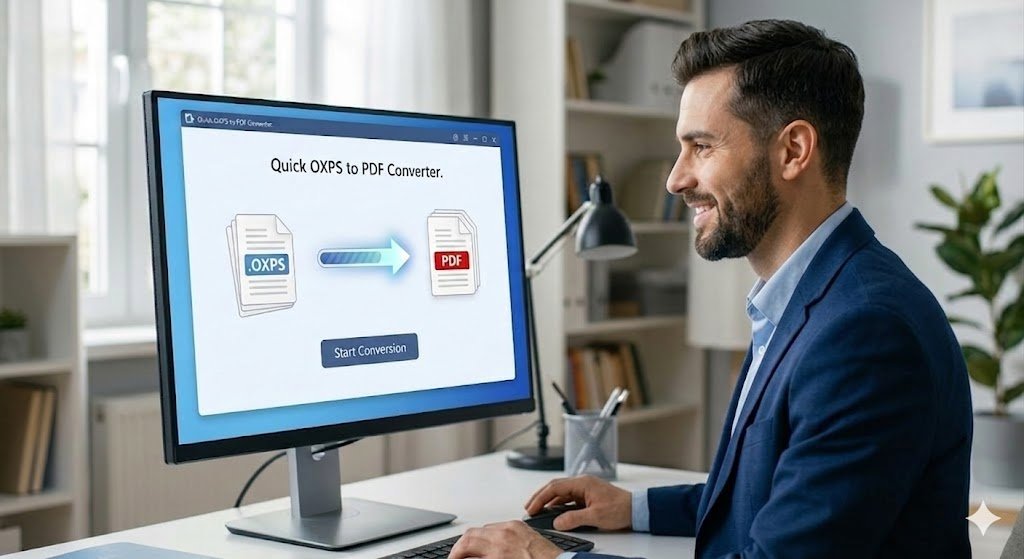
One common example involves converting .oxps to pdf. While OXPS files serve a specific purpose, PDF files are far more widely supported across devices and platforms.
What Is an OXPS File Format?
OXPS stands for Open XML Paper Specification. It’s a document format developed by Microsoft to represent fixed-layout documents. Essentially, it preserves the exact appearance of a file, including fonts, formatting, and layout.
The format evolved from the earlier XPS file system and was designed to provide a reliable way of sharing documents without altering their visual structure. Think of it as similar to a digital print version of a document.
However, OXPS files aren’t as universally supported as other formats. Many devices and software applications struggle to open them, which is why users often need to convert them into more compatible formats.
Why People Convert OXPS Files to PDF
Compatibility is the main reason people convert OXPS documents into PDFs. While OXPS files work well within certain Windows environments, they may not open properly on other operating systems.
PDF files, on the other hand, are widely accepted across devices, browsers, and software platforms. From smartphones to professional workstations, PDFs can be opened almost anywhere.
Another advantage is ease of sharing. When you convert .oxps to pdf, the resulting file becomes easier to email, upload, and store in digital archives.
Key Benefits of Converting OXPS Files
Before diving into methods and tools, it’s worth understanding why conversion can be so helpful.
Here are some major advantages:
- Improved compatibility across devices and software
- Easier sharing through email and cloud platforms
- Better accessibility for viewers without specialised programs
- Reliable formatting that remains unchanged
- Simplified document storage and organisation
Situations Where Conversion Becomes Necessary
Many users encounter OXPS files unexpectedly while downloading reports, invoices, or official documents. When this happens, conversion quickly becomes the simplest solution.
Common scenarios include:
- Receiving an OXPS file via email
- Opening documents downloaded from Windows-based systems
- Sharing documents with colleagues using different devices
- Archiving files in widely accepted formats
- Uploading documents to online platforms that require PDF
Comparison Between OXPS and PDF Formats
| Feature | OXPS Format | PDF Format |
|---|---|---|
| Compatibility | Limited to certain systems | Widely supported |
| File sharing | Sometimes difficult | Easy and universal |
| Editing options | Limited tools | Numerous editing tools |
| Viewing software | Specific applications | Many free viewers |
| Popularity | Less common | Extremely common |
Tools That Help Convert Files
Fortunately, converting documents isn’t complicated anymore. Several tools and applications allow users to perform file conversions quickly.
Many modern programs offer built-in conversion features. Even operating systems and browsers sometimes include document printing tools that can export files into PDFs.
When selecting a conversion tool, reliability and ease of use should be priorities. A good converter maintains formatting while producing a high-quality PDF file.
Simple Methods for Converting OXPS Files
There are several straightforward ways to convert files without needing advanced technical skills.
Here are some practical methods:
-
Using built-in Windows printing features
- Converting through dedicated document software
- Using online file conversion tools
- Exporting through document viewing programs
- Using third-party desktop converters
Tools Commonly Used for File Conversion
Desktop Applications
These programs run directly on your computer and often provide the most reliable conversion results.
Online Converters
Web-based tools allow users to upload a file and download the converted version within seconds.
Integrated System Tools
Some operating systems include virtual printers that allow users to “print” documents as PDF files.
Challenges Users Sometimes Encounter
While file conversion is generally straightforward, users occasionally face minor challenges during the process.
One issue involves formatting inconsistencies. Certain converters may struggle with fonts, images, or complex layouts. As a result, the final document may appear slightly different from the original.
Another challenge relates to file size. High-resolution documents may produce large PDF files after conversion, which can make sharing slower or more difficult.
Choosing a reliable tool often resolves these problems and ensures the final document maintains its intended appearance.
Tips for Maintaining Document Quality
Maintaining document quality during conversion is important, especially for professional or official files. A few simple strategies can help ensure the best results.
First, always use reputable conversion tools. Reliable software preserves formatting, images, and fonts more effectively.
Second, review the converted document before sharing it. Checking the file ensures that no elements were lost or altered during the process.
Finally, keep a backup of the original file. If something goes wrong during conversion, you’ll still have the original document available.
FAQs About .OXPS to PDF Conversion
What is an OXPS file?
An OXPS file is a fixed-layout document format created by Microsoft to preserve the exact structure of printed documents.
Why convert .oxps to pdf?
Converting makes the document easier to open, share, and view on different devices.
Can OXPS files be opened directly?
Yes, but they usually require specific software or compatible systems.
Are online converters safe to use?
Many are safe, but users should choose reputable websites to protect sensitive files.
Does converting change the document layout?
In most cases, the layout remains the same, especially when using reliable conversion tools.
Conclusion
Converting .oxps to pdf is a practical solution for improving document compatibility and accessibility. While OXPS files serve a specific purpose, they can be difficult to open on many devices. By transforming them into PDFs, users gain a universal format that works across nearly every platform. The process itself is simple and can be done using various tools, from built-in system features to online converters. With the right approach, document formatting and quality remain intact throughout the conversion. In today’s digital world, having flexible and accessible file formats makes managing documents far easier.