
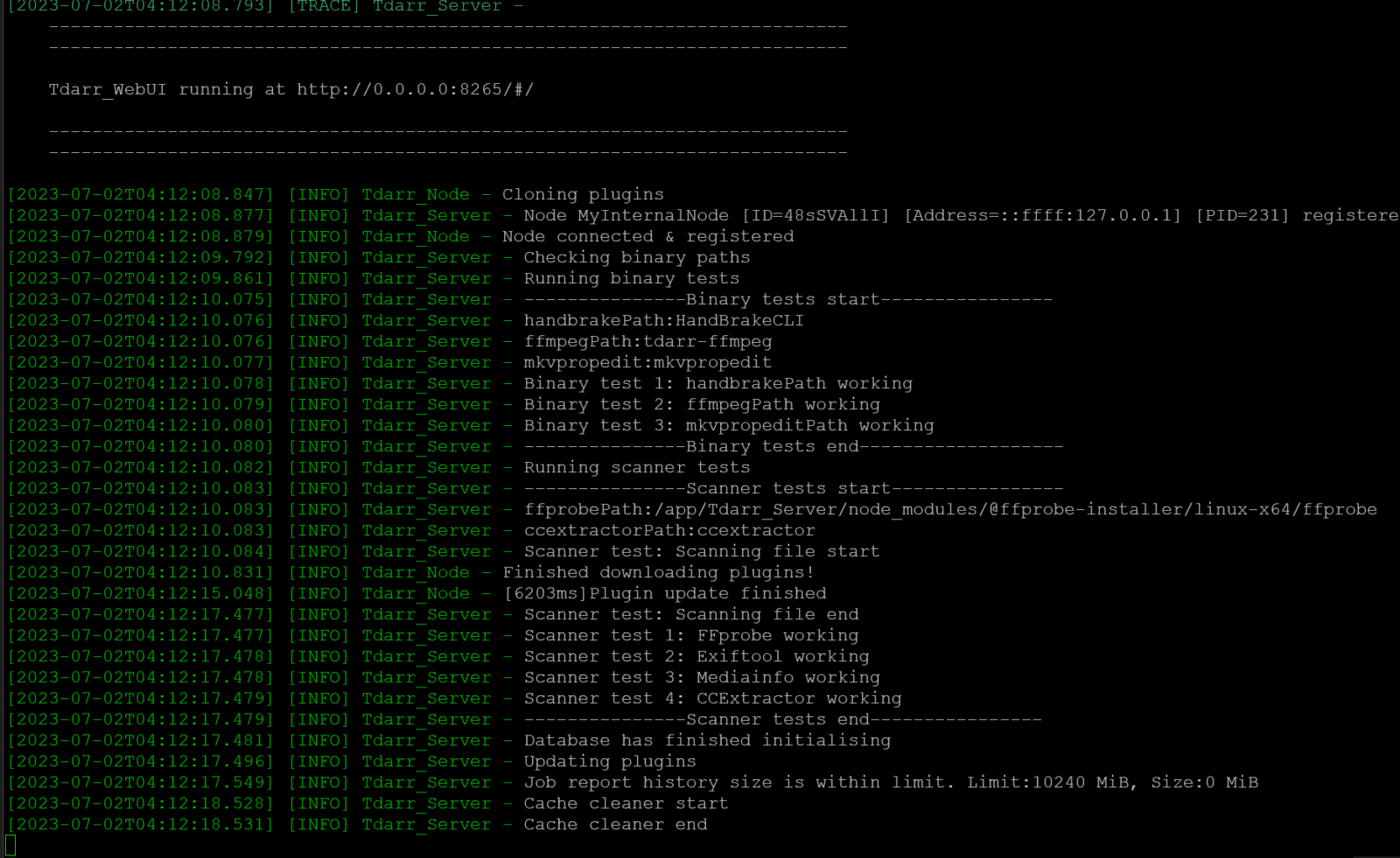
If you run a home media server, you already understand the importance of properly encoded and storage-efficient media files. This is where Tdarr steps in as a game-changing solution. Tdarr is a multi-platform, distributed transcoding and media automation tool designed specifically to optimize video content for smooth streaming, storage savings, and compatibility across different media devices.
Whether you are a Plex, Jellyfin, or Emby user, or simply someone wanting better control over your media library, Tdarr provides a powerful infrastructure for scanning, transcoding, and automatically fixing media files. In this detailed guide, you’ll learn what Tdarr is, how it works, its core features, and why thousands of media enthusiasts rely on it every day.
What Is Tdarr?
Tdarr is an open-source media transcoding and library optimization system that uses customizable plugins to improve your entire media collection. It helps you:
Reduce file sizes
Convert unsupported codecs
Fix playback issues
Remove corrupt streams
Automatically scan and optimize files
The power of Tdarr lies in its distributed transcoding engine, which means users can run multiple workers across different computers or containers to massively speed up processing. Designed by the developer HaveAGitGat, Tdarr has become a top-tier solution for anyone who wants full automation and control of media optimization.
Why Tdarr Matters for Media Servers
If your household has multiple users streaming across different devices, media compatibility becomes crucial. For instance:
Apple devices prefer H.265 or H.264 with AAC
Older smart TVs may struggle with newer codecs
Roku devices reject DTS audio codecs
Android devices often don’t support certain containers
Without a tool like Tdarr, users may encounter:
| Problem | Example |
|---|---|
| Audio not supported | DTS on Roku |
| Buffering issues | High bitrate 4K streaming |
| Storage waste | Uncompressed files |
| Player crashes | Corrupt headers |
Tdarr analyzes each media file to ensure it remains compatible, playable, efficient, and healthy throughout your library.
Key Features of Tdarr
Here are the standout capabilities that make Tdarr a leader in automated media optimization:
✅ 1. Plugin-Based Workflow
Tdarr uses community-built and official plugins to:
Transcode based on codec rules
Remove unnecessary streams
Normalize audio formats and channels
Fix container issues
Validate media using tools like FFmpeg
You can mix and match plugins per your specific media requirements.
✅ 2. Distributed Transcoding System
Tdarr lets you scale workers across:
Windows
MacOS
Linux
Docker containers
NAS systems (Synology, Unraid, TrueNAS)
This means more power and faster job completion.
✅ 3. Advanced Library Scanning
Tdarr continuously scans your media and identifies files that:
Need codec conversion
Contain errors or corruption
Exceed bitrate thresholds
Use deprecated formats
✅ 4. GPU and CPU Encoding
Hardware acceleration support includes:
NVIDIA NVENC
Intel Quick Sync
AMD AMF
This significantly speeds up transcoding while reducing strain on your system.
✅ 5. Web-Based User Interface
The UI provides:
Real-time progress tracking
Worker load monitoring
Plugin configuration
Failure alerts
Detailed job analytics
Users can manage everything without needing command-line knowledge.
How Tdarr Works Behind the Scenes
Tdarr’s processing workflow includes the following components:
| Component | Function |
|---|---|
| Tdarr Server | Core controller managing jobs, database, UI |
| Tdarr Nodes/Workers | Perform transcoding tasks |
| MongoDB | Stores file and job metadata |
| Plugins | Rules that enforce scanning/transcoding |
The Typical Tdarr Process
Media library is scanned
Plugins validate file compatibility
Jobs are queued for workers
Files are transcoded or remuxed
Completed files are re-checked before replacement
The system runs automatically once configured — making Tdarr a set-it-and-forget-it solution.
Installing Tdarr
Tdarr offers multiple installation environments depending on your setup.
✅ Docker Installation (Most Popular)
Users running Unraid, Synology, or standalone servers prefer Docker due to easy updates and portability.
Common containers include:
Tdarr_ServerTdarr_Node
✅ Native OS Installation
Manual installation supports:
Windows (.exe installer)
Linux distributions
macOS systems
✅ NAS Deployment
Several NAS platforms provide templates and community packages.
Regardless of your version, Tdarr runs smoothly as long as MongoDB and workers are properly configured.
Tdarr Plugins Explained
Plugins are the heart of media optimization. Types include:
● Transcode Plugins
Convert codecs (HEVC → H.264)
Reduce bitrate for bandwidth savings
Convert audio to AAC for compatibility
● Health Check Plugins
Detect file corruption
Verify metadata consistency
● Stream Removal Plugins
Delete extra audio languages
Remove subtitles causing playback failures
Using a proper plugin stack ensures your library remains optimized over time.
Performance: Tdarr vs. Other Tools
There are many media tools, but Tdarr stands out due to automation and scalability.
| Feature | Tdarr | HandBrake | FFmpeg |
|---|---|---|---|
| Automatic batch scanning | ✅ | ❌ | ❌ |
| Plugin-based rules | ✅ | ❌ | ❌ |
| UI for transcoding workflow | ✅ | ✅ | ❌ |
| Distributed processing | ✅ | ❌ | ✅ (manual) |
| Media health checks | ✅ | ❌ | ❌ |
Tdarr bridges the gap between manual video tools and fully automated infrastructure.
Best Uses for Tdarr in Your Media Setup
| Use Case | Benefit |
|---|---|
| Plex library optimization | Faster streaming and reduced buffering |
| Converting legacy videos | Ensures modern playback compatibility |
| correcting audio issues | Removes codecs like DTS that fail on certain players |
| Saving storage space | Up to 50–70% size reduction with HEVC |
| Automated file troubleshooting | Prevents broken media in libraries |
For users with large 4K libraries, the returns are massive.
Tips for Optimizing Performance
Here are expert recommendations:
✅ Enable Hardware Acceleration
Use GPU nodes for rapid transcoding.
✅ Organize Worker Assignments
Separate workloads:
CPU workers for health checks
GPU workers for encoding
✅ Use Plugin Sandwiching
Run:
Health check plugin
Transcoding plugin
Validation plugin
Ensures quality output every time.
✅ Limit Re-Transcoding
Avoid unnecessary processing with bitrate and codec rules.
Potential Drawbacks of Tdarr
Even though is powerful, users should be aware of a few considerations:
Steeper learning curve than basic transcoding tools
Requires careful plugin configuration
Initial setup may take time to perfect
Heavy processing demands without proper hardware
MongoDB database maintenance required
However, once dialed in, Tdarr becomes extremely efficient.
Tdarr for Plex, Jellyfin & Emby Users
Most Tdarr users maintain their own home media servers.
Benefits for Media Server Owners
| Feature | Plex | Jellyfin | Emby |
|---|---|---|---|
| Low-bitrate streaming | ✅ | ✅ | ✅ |
| Codec correction | ✅ | ✅ | ✅ |
| Fixing 4K direct play failures | ✅ | ✅ | ✅ |
Efficient transcoding ensures direct play, which means:
Less CPU usage on media servers
Fewer buffering issues
Lower bandwidth consumption
Who Should Use Tdarr?
Tdarr is an excellent match for:
✅ Media server enthusiasts
✅ Users with large video collections
✅ People who want trouble-free streaming
✅ Anyone wanting to automate storage savings
✅ Users requiring high video quality with reduced size
✅ Advanced home lab builders
If you enjoy optimizing your home media experience — Tdarr is for you.
Frequently Asked Questions About Tdarr
Q: Is Tdarr free?
Yes, Tdarr is free and open-source.
Q: Does support HEVC and AV1?
Yes, with the correct plugins and workers.
Q: Can Tdarr run on a low-power NAS?
Yes, but transcoding performance will vary based on CPU/GPU power.
Q: Does Tdarr replace FFmpeg or HandBrake?
No — it leverages them for automation and scaling.
Q: Is Tdarr beginner-friendly?
There is a learning curve, but the community offers many templates to help you start fast.
Final Thoughts: Why Is Worth It
Tdarr has earned its reputation as one of the most powerful tools in media server automation. With its distributed processing power, plugin-based architecture, health checks, and transcoding rules — it delivers significant improvements in:
✔ Storage savings
✔ Playback compatibility
✔ Media quality
✔ Automatic troubleshooting
✔ Streaming performance
If you operate a Plex, Emby, Jellyfin, or personal media library, Tdarr can help transform your system into a fully optimized platform — running efficiently with minimal maintenance.
Installing and learning Tdarr takes a bit of time, but once you set it up, the benefits are noticeable immediately and continue to grow as your media library expands.